Enter a URL
Paste a public webpage address into the source viewer.
Analise o HTML público de uma página e entenda sua estrutura, sinais de SEO, links e recursos.
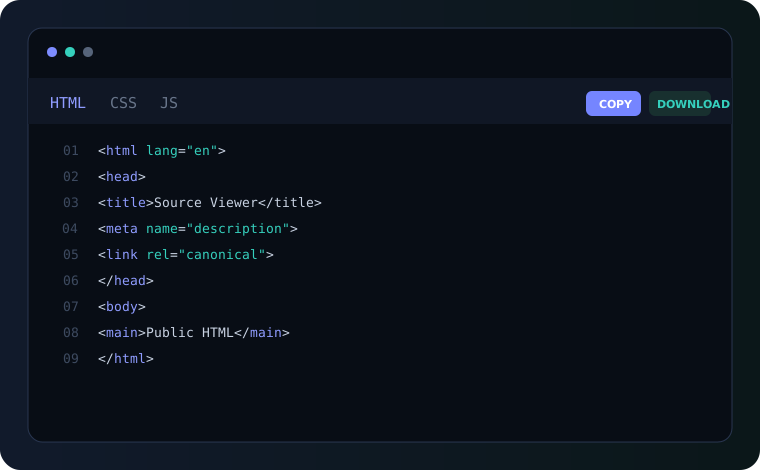
Use a URL to inspect the source returned by a public website without opening developer tools.
Paste a public webpage address into the source viewer.
The server retrieves public HTML with safety, timeout and size limits.
Read the source, copy it or download the HTML file for local review.
Website source code is the HTML document delivered by a web server to a browser. It contains document structure, metadata, links, scripts, stylesheets and other public markup.
Viewing page source is useful for developers, SEO professionals, students and researchers who need to understand what a page returns before client-side rendering changes the visible document.
When a browser requests a webpage, the server can return an HTML document containing the page structure, metadata, headings, links, forms, images, stylesheet references and script references. That public response is different from private server-side code such as PHP, databases or environment variables.
That distinction matters when you are troubleshooting a page. A source viewer lets you inspect the document that was actually returned instead of relying only on the visual appearance of the rendered page.
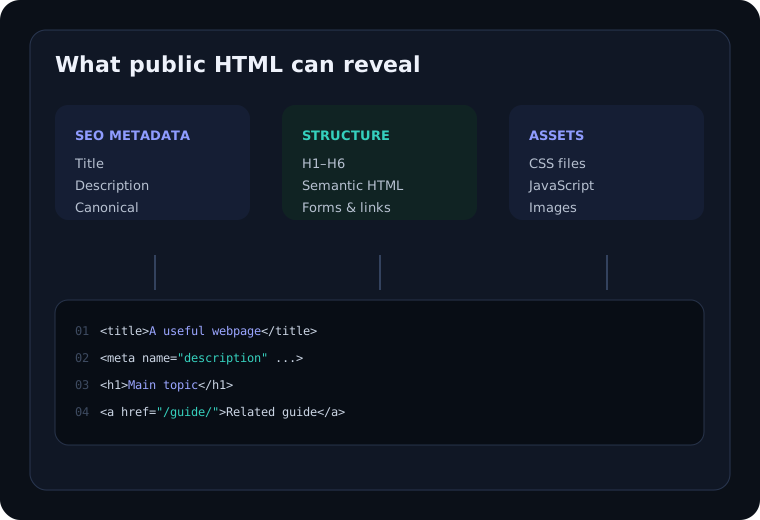
A raw HTML document can reveal useful technical and SEO information without exposing private server-side code.
Review headings, semantic elements, forms, attributes and document hierarchy. You can inspect semantic elements, attributes, forms, navigation, headings and document structure.
Find title tags, meta descriptions, canonical URLs, robots directives and structured data. This is useful when checking crawlable metadata and the relationship between page content and technical SEO.
Review internal and external URLs, anchors and navigation paths. Reviewing anchors can help you understand navigation, internal linking and references to external resources.
Identify referenced stylesheets, JavaScript files and other public resources. Source inspection can also reveal public stylesheet and JavaScript URLs referenced by the document.
Viewing source is a simple technique, but it becomes especially useful when you are working away from a development workstation. On a desktop browser, keyboard shortcuts and developer tools are convenient. On a phone, tablet, shared computer or locked-down environment, those workflows can be harder to use. An online source viewer provides a focused alternative: enter a public URL and inspect the HTML response in a readable interface.
For SEO work, source inspection is useful because important signals often live in the document head. You can look for the <title> element, meta description, canonical link, robots directives, language attributes, Open Graph metadata and structured data. These elements do not tell the whole SEO story, but they are valuable technical clues when diagnosing how a page is constructed.
For developers, the source can help answer a different set of questions. You may want to confirm whether a component is present in the initial response, find a stylesheet reference, locate an external JavaScript file, inspect form markup or understand the heading hierarchy. Comparing the raw response with the live DOM in browser developer tools can reveal whether JavaScript later changed the document.
For students and educators, page source is also a practical learning resource. Instead of studying isolated snippets, learners can examine real public webpages and see how HTML elements work together. Looking at headings, navigation, images, forms and links in context makes semantic HTML easier to understand.
A source viewer does not provide access to private backend implementation. It only works with information a website makes available to a browser. Private PHP files, databases, server credentials and protected application logic remain on the server. This is an important boundary to understand when using any public source inspection tool.
View Source shows the HTML response delivered by the server. Inspect Element shows the live DOM after scripts and browser processing may have changed it.
A public source viewer is useful wherever page structure needs to be understood quickly.
A source inspection can be a useful first pass before a full technical audit. Start with the page title and meta description. Then review the main heading and the hierarchy of H2 and H3 elements. Check whether the canonical URL points to the preferred version of the page and whether robots directives are consistent with the intended indexing behavior.
Next, look at links and media. Internal links should point to useful, relevant destinations, while image markup should include meaningful alternative text when an image conveys information. Public structured data can also be visible in JSON-LD scripts. Open Graph tags may help you understand how a page is prepared for social sharing.
Source inspection is not a replacement for Search Console, a crawler, Lighthouse, accessibility testing or security testing. It is a lightweight diagnostic layer that helps you understand the document before deciding which deeper tool to use.
For more guidance, visit our web development and SEO guides, learn about ViewSourcePage, or contact us if you have feedback.
Use ViewSourcePage for quick source checks, then explore our guides and trusted developer resources for deeper work.
Learn how to inspect SEO meta tags, verify canonical tags, understand View Source vs Inspect Element, and review performance clues in source.
For deeper standards and documentation, see MDN HTML documentation, Google Search Central documentation, and web.dev HTML learning resources.
Use these resources alongside source inspection rather than treating one tool as a complete audit.
Enter a public webpage URL above and choose Inspect Source. The tool fetches the page and displays the returned HTML with line numbers.
Yes. The analyzer includes a Download button so you can save the fetched public HTML for local inspection.
View Source focuses on the HTML response from the server, while Inspect Element works with the live DOM.
Yes. The interface is responsive and works on modern phones, tablets and desktop browsers.
No. A source viewer can only inspect content publicly returned to the browser.
Respect website terms, copyright and applicable laws when using or storing retrieved content.
Paste a public URL and explore its source, metadata and structure in seconds.
Analisar página