Why headings exist
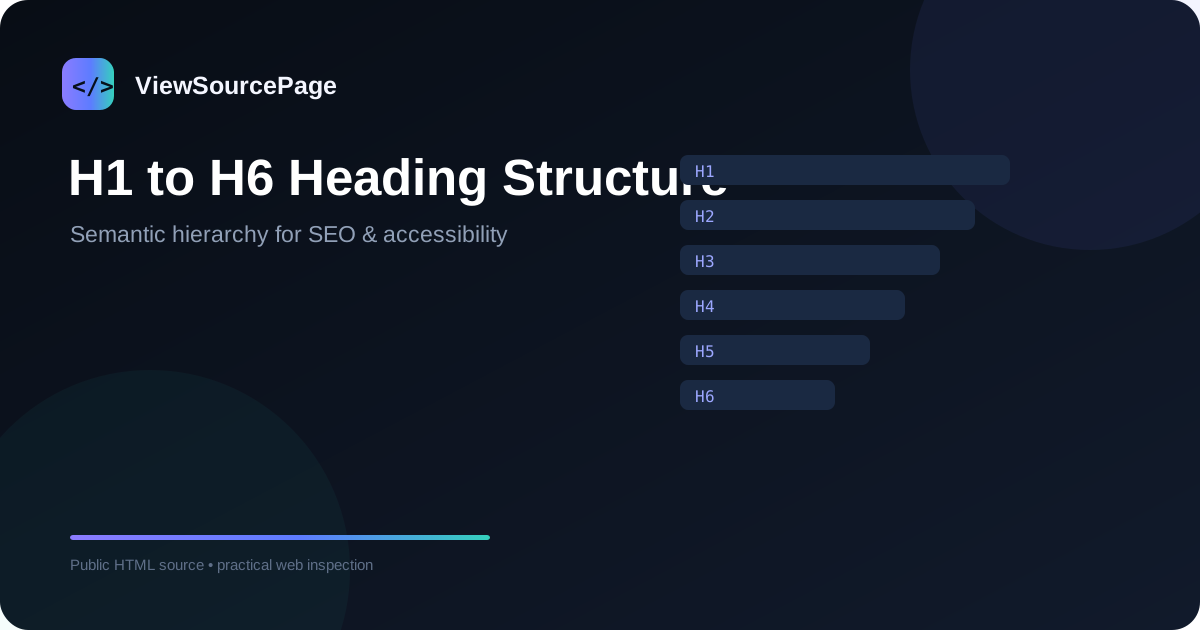
HTML headings provide a semantic hierarchy for documents. H1 is normally used for the main page topic, while H2 and H3 elements organize supporting sections and subsections. The purpose is not to create a rigid ranking formula but to make content understandable to people, assistive technologies and software that parses documents.
Continue exploring: Use the ViewSourcePage source analyzer to inspect a public page, then compare your findings with our guide on Open Graph Tags: How to Check Social Sharing Metadata.
The role of H1
A clear H1 communicates the primary topic of the page. Modern sites can technically contain more than one H1, but a simple page often benefits from one obvious main heading. Inspecting source helps you confirm that the visible heading is actually represented as semantic HTML rather than a styled div.
H2 and H3 sections
H2 elements divide a page into major topics. H3 elements can then divide those topics into narrower questions. A useful hierarchy might be H1: View Website Source, H2: How It Works, H2: What You Can Inspect, H3: SEO Metadata, H3: Links and Assets. This creates a logical reading path.
Do not choose headings for appearance
Heading tags should not be selected simply because one size looks good. CSS can control appearance. If a piece of text is visually large but not a section heading, use an appropriate non-heading element and style it. Semantic structure should reflect meaning.
Headings and accessibility
Screen-reader users can navigate pages by headings. A logical hierarchy helps users understand where they are and jump to relevant sections. Skipping from H2 to H4 is not automatically a disaster, but consistent structure makes complex documents easier to navigate.
Headings and SEO
Search engines use many signals to understand content. Headings help communicate topical structure, but they are not a standalone ranking shortcut. A page with excellent headings can still perform poorly if the content is weak, irrelevant, slow or inaccessible. Think of headings as part of a complete content system.
How to inspect headings
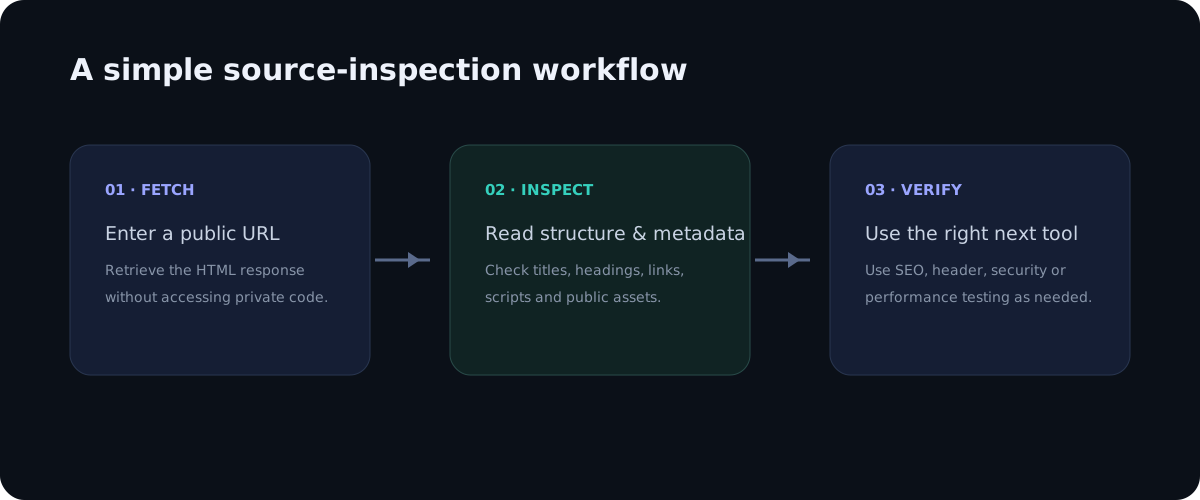
Open source and search for <h1> and <h2>, or use an analyzer that extracts headings. Record the order and text of each heading. Compare the source with the visible page to make sure important sections are represented semantically.
Common heading problems
Common issues include missing H1, multiple unrelated H1 headings, headings used only for visual styling, very long headings, or a structure that does not match the content. Repeated headings can also make navigation harder when every section has the same generic label.
A practical content outline
Before publishing a long article, create the heading outline first. Put the main question in H1, major answers in H2, and supporting details in H3. This makes the article easier to scan and helps writers avoid repeating the same idea in several sections.
Conclusion
H1-H6 elements are simple HTML features with a meaningful role in document structure. Source inspection gives you a quick way to verify that your intended outline is actually present in the page markup. Combine semantic headings with useful content, accessible navigation and clear visual design.
A practical checklist
Use this checklist when reviewing a real page so the process stays repeatable rather than relying on memory.
- Find the main H1
- Map H2 sections
- Check H3 subsections
- Compare markup with visible headings
- Review accessibility
Frequently asked questions
Does source inspection show private backend code?
No. A browser receives only the public response needed to render or process the page. Private application logic, databases, server credentials and protected files remain on the server.
Is a source viewer a replacement for a full audit?
No. It is a focused inspection layer. Use dedicated SEO, accessibility, performance, security and analytics tools when you need deeper evidence.
Final thoughts
Source inspection is valuable because it turns an invisible technical layer into something you can read and reason about. The best workflow is simple: observe the public markup, identify a specific question, verify the relevant element, and then use a specialist tool when the question goes beyond HTML. This keeps technical analysis practical, evidence-based and easy to repeat across pages.
Deeper practical notes
Heading audits are particularly useful on content-heavy pages. If every section uses a generic H2 such as “More Information,” the outline becomes less informative. Better headings describe the question or topic being answered. This helps readers scan the page and gives parsers clearer semantic cues about the document structure.
An H1 should not be stuffed with every possible keyword variation. A concise, natural main heading is easier to understand. Supporting semantic terms can appear in H2s, H3s and body copy when they genuinely match the section. The goal is topical completeness, not repetitive phrasing.
Heading structure can also expose template problems. For example, a site may render a logo or navigation label as an H1 on every page while the actual article title is an H2. Source inspection can reveal the markup hierarchy even when the visual design makes the problem difficult to notice.
For accessibility, headings should form a meaningful navigation outline. Avoid using heading elements for decorative text such as pricing labels or small card badges unless those elements actually introduce sections. CSS can create the visual scale you want without sacrificing semantic meaning.
Long articles benefit from predictable heading patterns. Readers should be able to skim H2 headings and understand the argument without reading every paragraph. H3 sections then provide deeper detail. This structure also makes internal linking easier because you can identify distinct topics that deserve their own supporting guides.
When you revise a page, inspect the source after publishing rather than assuming the CMS generated the intended markup. Plugins, page builders and reusable components can add unexpected headings. A quick source check can catch those issues before they spread across many pages.
Applying the guide in a real audit
When applying this workflow to h1 to h6 heading structure: a practical seo and html guide, begin with one concrete question rather than trying to audit everything at once. A focused question makes source inspection faster and produces evidence that can be shared with a developer, editor or SEO specialist. Record the page URL, the element you inspected and the observation you made. This simple habit turns an informal browser check into a repeatable technical review.
It is also useful to compare more than one page template. A homepage, article, category page and utility page can have different HTML structures even when they share the same brand. Looking at several examples helps distinguish a one-off issue from a template-level problem. If the same markup appears across many pages, the best fix is usually at the template or component level rather than by editing individual pages.
Keep the difference between evidence and interpretation clear. Seeing an element in source is evidence that the public response contains that element. It is not automatically evidence that a search engine indexed it, that a browser loaded every referenced asset, or that a backend process is secure. Strong technical analysis connects source observations with the right secondary test instead of making conclusions that the HTML alone cannot support.
Another practical benefit is documentation. A source viewer with readable line numbers makes it easier to describe an issue precisely: for example, a missing canonical, an unexpected robots directive, a duplicate heading, or a third-party script reference. Clear documentation shortens the feedback loop between SEO teams, developers and content owners because everyone can discuss the same technical evidence.
Finally, treat the public source as part of the user experience. The document should be understandable, semantically organized and consistent with the visible interface. Good HTML structure supports accessibility, maintainability and search understanding at the same time. A clean source document is not a guarantee of quality, but it is a strong foundation for a website that is easier to maintain and easier for people and machines to interpret.
Why heading hierarchy is useful beyond SEO
Headings do more than provide large text on a screen. They create a semantic outline that helps readers scan a long document and gives assistive technologies meaningful landmarks. A clear hierarchy also makes templates easier for editors and developers to maintain. When inspecting source, look at the actual heading elements rather than judging hierarchy from font size alone. A large visual paragraph may not be a heading at all, while a small-looking H2 can still be semantically important.
A practical page often has one main H1 describing the page topic, followed by H2 sections that divide major ideas. H3 elements can then organize subsections inside an H2. There is no need to force every heading level into a rigid numerical sequence when the document structure does not require it. The goal is a logical relationship between sections, not a decorative pattern.
How to audit headings in page source
Start by searching the HTML for <h1 and then review every H2 through H6 element in document order. Record the text of each heading and note where the hierarchy changes. This makes it easier to identify duplicate H1 elements, empty headings, skipped structural sections or headings that contain unrelated text. Then compare the source with the visible page to make sure important sections are represented consistently.
Source inspection is particularly helpful when a site uses reusable components. A navigation component, card component or CMS template can accidentally introduce headings that were not intended for the page outline. Looking at several pages can reveal whether an issue belongs to one article or to a shared template. Template-level problems are usually more valuable to fix because one correction can improve many URLs at once.
Headings and search intent
Good headings should describe the questions and topics the page actually answers. Instead of repeating a target keyword in every heading, use natural variations that make the document easier to understand. For example, a guide about viewing source might use sections such as “What page source contains,” “How source differs from the live DOM,” and “How to inspect metadata.” This creates topical coverage without awkward repetition.
Common heading mistakes
Some common problems include using headings only for visual styling, placing an entire paragraph inside an H2, repeating the same heading across unrelated sections, and creating a heading with no meaningful content beneath it. Another issue is hiding headings from sight while leaving them in the markup without a clear accessibility purpose. A source review can identify these patterns quickly, but final decisions should be based on the page design, content and accessibility requirements.
Headings on multilingual websites
On multilingual websites, each localized page should have headings that make sense in its own language. Do not simply leave English headings inside an otherwise translated page unless there is a deliberate reason. The heading hierarchy should remain structurally equivalent across language versions while the wording is naturally localized. This is also useful when comparing translated templates because unexpected differences can expose missing sections or rendering problems.
When a heading audit is complete
A useful heading audit ends with a document that has a clear main topic, descriptive major sections and sensible subsections. Validate the result in the rendered page as well as the source. If the source contains the expected H1-H6 structure but the visible layout is confusing, investigate CSS and component behavior. Conversely, if the visual page looks organized but the HTML uses generic div elements instead of semantic headings, the source reveals an opportunity to improve the underlying document structure.