Start with the simplest method
The easiest way to view a public webpage source is to open the page in a desktop browser and use its built-in source command. Chrome, Edge and Firefox provide a direct View Source action, while Safari exposes source inspection through its developer features. When you are on a phone or tablet, an online source viewer is often more convenient because mobile browsers do not provide the same keyboard-driven workflow as desktop browsers.
Continue exploring: Use the ViewSourcePage source analyzer to inspect a public page, then compare your findings with our guide on Website Transparency: Why Source Visibility Can Build User Trust.
Desktop browsers
On Windows, Ctrl+U is a familiar shortcut in Chromium-based browsers and Firefox. On macOS, the available shortcut can differ by browser, and Safari may require the Develop menu to be enabled first. Another option is to right-click a page and choose a source-related command when the browser exposes it. These methods open the raw document returned by the server rather than the fully modified DOM.
Android phones and tablets
Android browsers are designed around touch-first browsing, so developer-oriented source commands are less visible than on desktop. If you need to inspect HTML from an Android phone, paste the public URL into an online source viewer. This is useful for checking a title tag, canonical link, headings, image attributes or script references while travelling or working away from a laptop.
iPhone and iPad
iOS browsers share the WebKit platform and generally do not provide a simple desktop-style View Source shortcut. For quick source inspection, an online viewer removes the need to install a desktop browser or configure a development environment. The same approach is useful on an iPad when you need to check a page during an SEO review or content workflow.
Using a view-source URL
Some desktop browsers support a view-source URL scheme. For example, a browser may accept view-source:https://example.com/ and display the returned document. Support and behavior can vary, so a dedicated online viewer is a practical alternative when you want a consistent interface with line numbers, copy controls and download options.
What to look for
Once the source is open, start with the document head. Check the title, meta description, canonical. URL, robots directives, language attribute, Open Graph tags and structured data. Then move to the body to review headings, links, images, forms and semantic elements. If you are debugging a frontend issue, also locate stylesheet and JavaScript references.
Source versus rendered page
A source document is not always identical to what you see on screen. JavaScript can create, remove or modify DOM nodes after the initial HTML arrives. This is especially common in client-rendered applications. If content appears visually but is missing from the raw response, compare View Source with Inspect Element and, when SEO is involved, consider how the page is rendered and crawled.
A safe workflow
Use source inspection as a diagnostic tool, not as permission to copy proprietary material. Inspect only public pages you are allowed to access, avoid attempting to bypass authentication or access controls, and respect copyright and site terms. A source viewer should never be treated as a way to obtain private server code.
Practical checklist
For a quick review, verify that the title is present, the description is meaningful, the canonical is sensible, the main H1 exists, headings are logically ordered, important internal links are present, images have useful alternative text, and public CSS or JavaScript references resolve to expected locations. Then move to a full crawler or browser audit if the page requires deeper testing.
Conclusion
Viewing page source is one of the simplest ways to understand how a public webpage is assembled. Desktop shortcuts remain useful, but URL-based inspection is especially convenient on mobile devices. The key is to understand what the source represents: the public document delivered by the server, not the private application behind it.
A practical checklist
Use this checklist when reviewing a real page so the process stays repeatable rather than relying on memory.
- Use a public URL
- Choose a source-view method that fits the device
- Inspect head metadata before body markup
- Compare raw source with the live DOM when needed
- Respect access controls and copyright
Frequently asked questions
Does source inspection show private backend code?
No. A browser receives only the public response needed to render or process the page. Private application logic, databases, server credentials and protected files remain on the server.
Is a source viewer a replacement for a full audit?
No. It is a focused inspection layer. Use dedicated SEO, accessibility, performance, security and analytics tools when you need deeper evidence.
Final thoughts
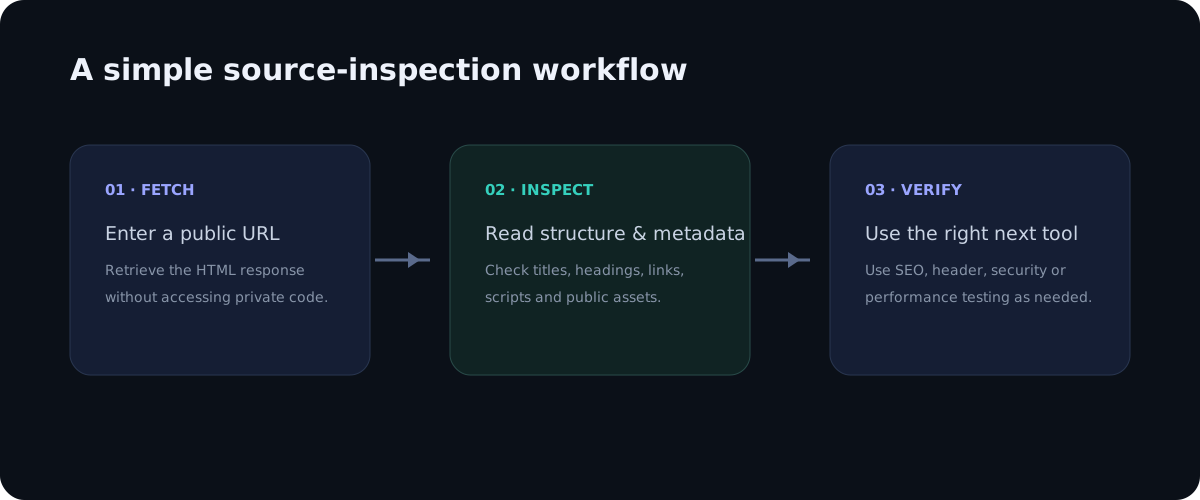
Source inspection is valuable because it turns an invisible technical layer into something you can read and reason about. The best workflow is simple: observe the public markup, identify a specific question, verify the relevant element, and then use a specialist tool when the question goes beyond HTML. This keeps technical analysis practical, evidence-based and easy to repeat across pages.
Deeper practical notes
On a desktop, the browser shortcut is only the beginning. After the source opens, use the browser find command to locate a specific element instead of scrolling through the entire document. Searching for title, canonical, description, h1, script, stylesheet, or an image filename can reduce a large document to a few relevant lines. This approach is especially helpful on large ecommerce pages where navigation, tracking code and application state can make the HTML response thousands of lines long.
When a page uses redirects, the URL you inspect may not be the URL that ultimately serves the document. A useful workflow is to note the original address, follow the redirect chain, and inspect the final response. If your source viewer reports the final URL, compare it with the address you entered. Redirect behavior can explain why a page appears to have different metadata from what you expected.
Mobile source inspection is also useful for responsive design research. The HTML may contain picture elements, source sets, responsive navigation and mobile-specific attributes even though the browser decides which resource to display. Source alone cannot tell you which image was actually downloaded, but it can reveal the available candidates and the markup responsible for responsive behavior.
If you are learning HTML, choose a few very different websites rather than inspecting only one template. Compare a documentation page, a news article, a simple portfolio and a web application. You will quickly notice recurring patterns such as the document head, semantic landmarks, navigation, main content, footer links and script references. The goal is to recognize patterns, not memorize every framework-specific class name.
For SEO professionals, source inspection becomes more powerful when combined with a URL list. Check the homepage, a category page, an article, a product page and a utility page. Compare their titles, canonicals, headings and structured data. Differences between templates often explain why one page type performs differently from another.
Always keep the security boundary in mind. A source viewer should fetch ordinary public HTTP or HTTPS resources, not attempt to access local networks, metadata endpoints, authenticated dashboards or restricted systems. Good tools validate destinations and block private address ranges. Good users also respect authorization, rate limits and site policies.
Applying the guide in a real audit
When applying this workflow to how to view page source on any device: desktop, android and iphone, begin with one concrete question rather than trying to audit everything at once. A focused question makes source inspection faster and produces evidence that can be shared with a developer, editor or SEO specialist. Record the page URL, the element you inspected and the observation you made. This simple habit turns an informal browser check into a repeatable technical review.
It is also useful to compare more than one page template. A homepage, article, category page and utility page can have different HTML structures even when they share the same brand. Looking at several examples helps distinguish a one-off issue from a template-level problem. If the same markup appears across many pages, the best fix is usually at the template or component level rather than by editing individual pages.
Keep the difference between evidence and interpretation clear. Seeing an element in source is evidence that the public response contains that element. It is not automatically evidence that a search engine indexed it, that a browser loaded every referenced asset, or that a backend process is secure. Strong technical analysis connects source observations with the right secondary test instead of making conclusions that the HTML alone cannot support.
Another practical benefit is documentation. A source viewer with readable line numbers makes it easier to describe an issue precisely: for example, a missing canonical, an unexpected robots directive, a duplicate heading, or a third-party script reference. Clear documentation shortens the feedback loop between SEO teams, developers and content owners because everyone can discuss the same technical evidence.
Finally, treat the public source as part of the user experience. The document should be understandable, semantically organized and consistent with the visible interface. Good HTML structure supports accessibility, maintainability and search understanding at the same time. A clean source document is not a guarantee of quality, but it is a strong foundation for a website that is easier to maintain and easier for people and machines to interpret.