
1. Page title and description
The document head often contains the title and meta description used to describe a page. These elements are among the first things an SEO reviewer should check because they provide context for users and search engines. Source inspection makes it easy to verify whether the tags exist, whether they are duplicated, and whether they appear in the expected location.
Continue exploring: Use the ViewSourcePage source analyzer to inspect a public page, then compare your findings with our guide on Website Source Code Security: What You Can Safely Check.
2. Heading structure
H1 through H6 elements reveal the semantic outline of a document. A source viewer can help you see whether the main topic has a clear H1 and whether secondary sections use appropriate headings. Heading structure is primarily about usability and document organization; it should not be treated as a magic ranking formula.
3. Canonical URLs
The canonical link tells crawlers which URL a page prefers when similar or duplicate versions exist. Inspecting the source lets you compare the canonical value with the current page URL and spot obvious configuration mistakes, such as a staging hostname, an HTTP URL on an HTTPS page or a canonical pointing to an unrelated page.
4. Robots directives
Robots meta tags can contain instructions such as noindex or nofollow. A source review can quickly show whether a page is intentionally restricted from indexing. Remember that robots directives and robots.txt serve different purposes, and an HTTP X-Robots-Tag header may also affect non-HTML resources.
5. Structured data
JSON-LD scripts can describe articles, organizations, breadcrumbs and other entities. Source inspection is a convenient first check to see whether structured data is present and whether it references the right page. Validation still requires a dedicated structured-data testing workflow.
6. Open Graph metadata
og:title, og:description and og:image influence how pages may appear when shared on social platforms. Inspecting source can reveal missing or mismatched values. This is especially helpful when a page looks correct in a browser but generates an unexpected social preview.
7. Analytics and third-party tools
Public HTML often references analytics, tag managers, chat widgets, advertising systems or other external JavaScript. A source viewer can help inventory these references. The presence of a script is only a clue; network inspection is needed to understand requests, timing and actual data flows.
8. CMS and framework clues
File names, class names, generator metadata and asset paths can sometimes reveal which CMS or frontend framework a site uses. These clues are not always reliable, because developers can remove or change them. Treat technology detection as an informed hypothesis rather than a guaranteed identification.
9. Internal linking
The anchor elements in a page show how content connects to other pages. Reviewing them can reveal navigation patterns, contextual links, repeated footer links and potential gaps in an information architecture. For SEO teams, this can be a useful first step before crawling an entire site.
10. Public asset references
Stylesheets, JavaScript files, images and fonts may be referenced directly in HTML. Checking these URLs can help developers understand dependencies and can also highlight opportunities for performance work. A source viewer does not measure loading time, but it can show what the page asks the browser to load.
Turning clues into decisions
The most valuable part of source inspection is not finding one interesting tag; it is connecting multiple clues. A canonical URL, language attribute, structured data, heading hierarchy and internal-link pattern together provide a better picture of how a page is organized. Use those observations to decide whether you need a deeper SEO, accessibility, performance or development audit.
Conclusion
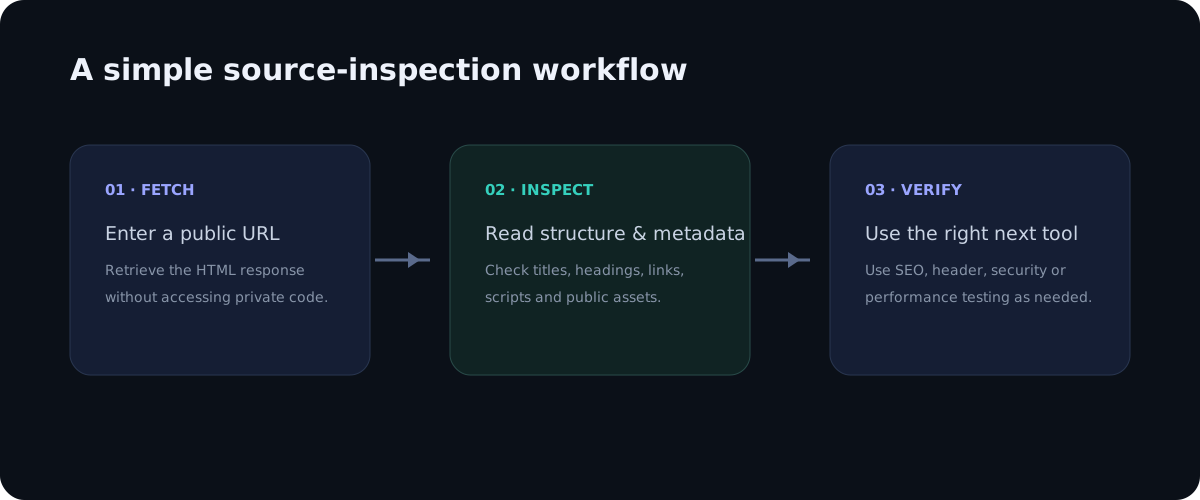
Public source code is a compact map of a webpage. It can reveal metadata, structure, links, scripts and other public resources without exposing private server logic. The ten checks above provide a repeatable workflow for developers, SEO professionals, students and researchers who need quick, evidence-based answers about a page.
A practical checklist
Use this checklist when reviewing a real page so the process stays repeatable rather than relying on memory.
- Start with metadata
- Review headings and links
- Inspect structured data
- Inventory scripts and styles
- Validate findings with specialist tools
Frequently asked questions
Does source inspection show private backend code?
No. A browser receives only the public response needed to render or process the page. Private application logic, databases, server credentials and protected files remain on the server.
Is a source viewer a replacement for a full audit?
No. It is a focused inspection layer. Use dedicated SEO, accessibility, performance, security and analytics tools when you need deeper evidence.
Final thoughts
Source inspection is valuable because it turns an invisible technical layer into something you can read and reason about. The best workflow is simple: observe the public markup, identify a specific question, verify the relevant element, and then use a specialist tool when the question goes beyond HTML. This keeps technical analysis practical, evidence-based and easy to repeat across pages.
Deeper practical notes
One of the most useful clues is the relationship between HTML and referenced resources. A source document can show whether a stylesheet is hosted locally, whether JavaScript comes from a content delivery network, and whether the page includes framework bundles or small purpose-built files. These clues help a developer understand the architecture before opening a full project repository or network trace.
Generator metadata can sometimes identify a content management system, but it should be treated cautiously. Developers may remove generator tags, customize templates or use a headless architecture. Class names and asset paths can provide additional hints, yet none of these clues should be presented as definitive without corroborating evidence.
Source can also reveal how a site organizes information. Repeated navigation links, breadcrumbs, category paths and related-content blocks show how pages are connected. This is valuable for SEO teams planning internal links and for developers deciding whether a template is consistent across content types.
Public structured data deserves a separate review because it can describe entities beyond visible text. An Article object might include a headline, date and author; a BreadcrumbList can describe navigation; an Organization object can provide business context. Presence alone is not enough. Values should match the visible page and conform to the relevant schema vocabulary.
Analytics references are another clue, but they need interpretation. A script name can suggest a measurement platform, tag manager or advertising service, but it does not reveal the complete data flow. If privacy is the question, inspect consent behavior and network requests as well. Source inspection is the inventory step, not the entire privacy investigation.
When you find an interesting clue, record the URL and the exact element that produced it. This turns casual inspection into reproducible research. For example, note that a page contains a canonical element, a JSON-LD Article object and a specific external script. Later you can compare those observations across templates or dates without relying on memory.
Applying the guide in a real audit
When applying this workflow to 10 things you can learn by viewing a website's source code, begin with one concrete question rather than trying to audit everything at once. A focused question makes source inspection faster and produces evidence that can be shared with a developer, editor or SEO specialist. Record the page URL, the element you inspected and the observation you made. This simple habit turns an informal browser check into a repeatable technical review.
It is also useful to compare more than one page template. A homepage, article, category page and utility page can have different HTML structures even when they share the same brand. Looking at several examples helps distinguish a one-off issue from a template-level problem. If the same markup appears across many pages, the best fix is usually at the template or component level rather than by editing individual pages.
Keep the difference between evidence and interpretation clear. Seeing an element in source is evidence that the public response contains that element. It is not automatically evidence that a search engine indexed it, that a browser loaded every referenced asset, or that a backend process is secure. Strong technical analysis connects source observations with the right secondary test instead of making conclusions that the HTML alone cannot support.
Another practical benefit is documentation. A source viewer with readable line numbers makes it easier to describe an issue precisely: for example, a missing canonical, an unexpected robots directive, a duplicate heading, or a third-party script reference. Clear documentation shortens the feedback loop between SEO teams, developers and content owners because everyone can discuss the same technical evidence.
Finally, treat the public source as part of the user experience. The document should be understandable, semantically organized and consistent with the visible interface. Good HTML structure supports accessibility, maintainability and search understanding at the same time. A clean source document is not a guarantee of quality, but it is a strong foundation for a website that is easier to maintain and easier for people and machines to interpret.